


C-Flow · Product guide
Touch Controls
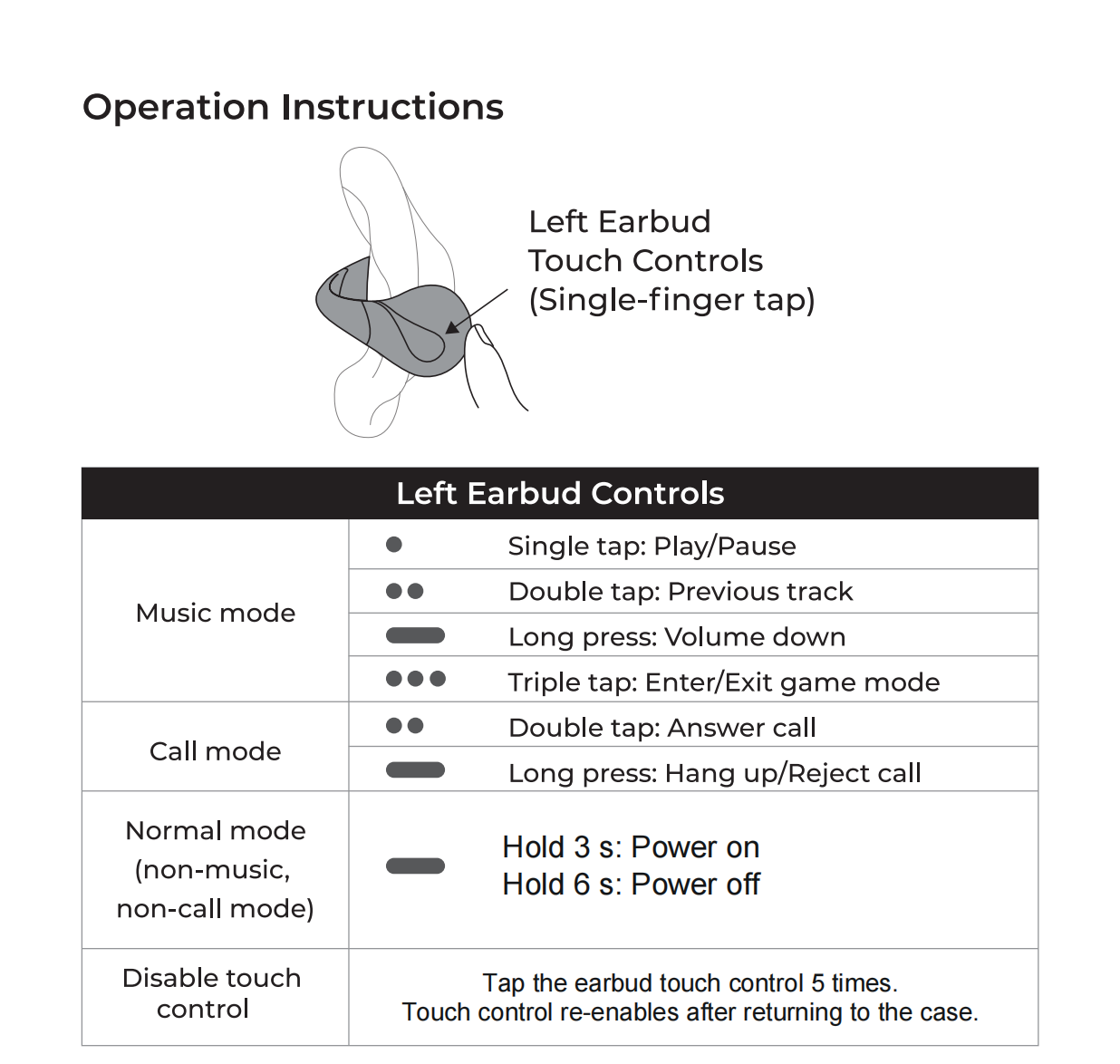
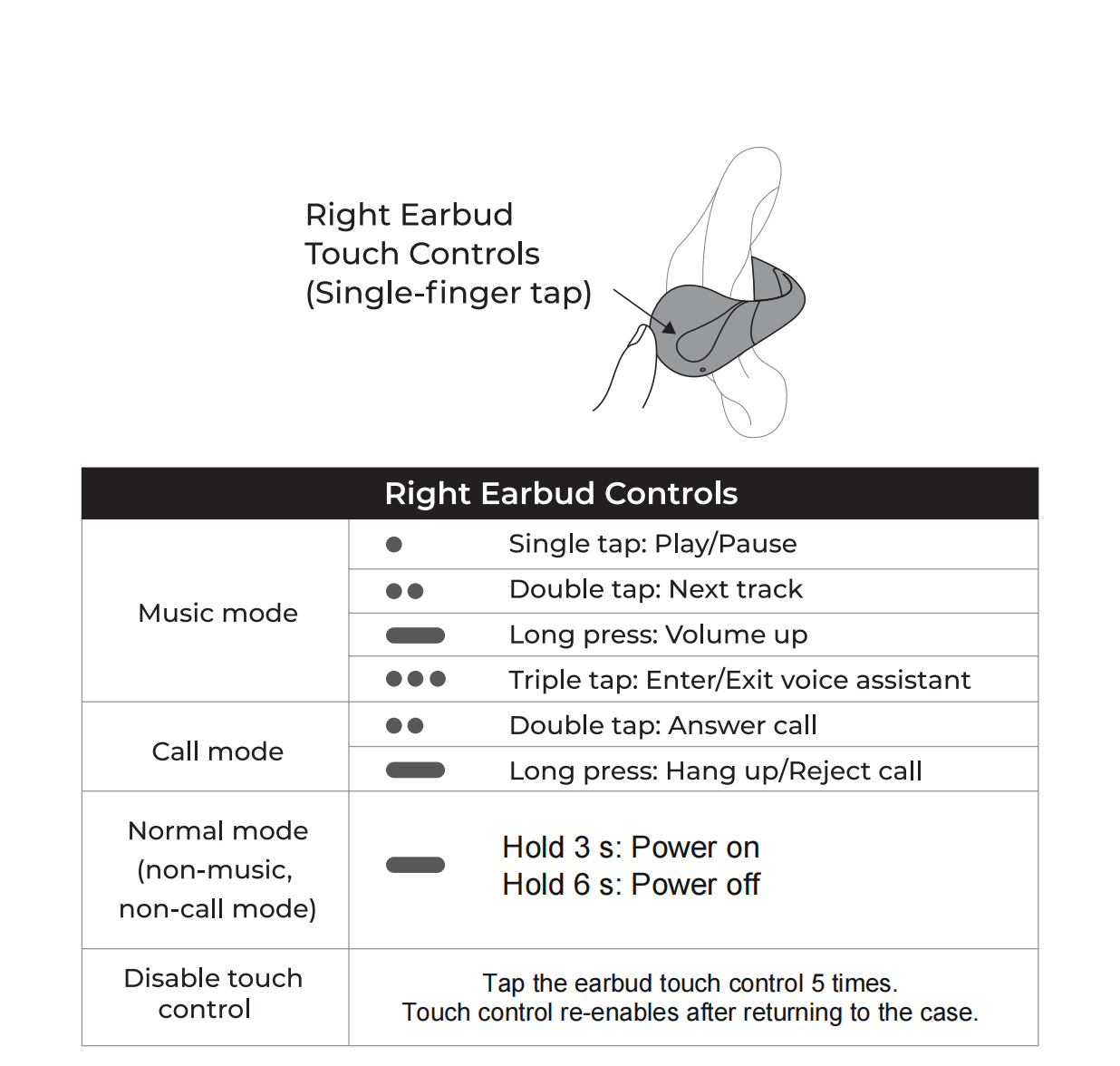
Tap the touch area on the outside of either earbud to control playback and calls. Both sides share the basic controls, while track changes, volume and triple-tap shortcuts differ.
Step by step
Use the left and right control guides below to find the gesture for what you’re doing. The 3-second power-on and 6-second power-off gestures apply when you’re not playing audio or on a call.
To temporarily prevent accidental taps, tap an earbud’s touch area five times. Its touch controls turn back on when you return it to the case.
Still need help? Contact Support · support@linklikeaudio.com