LINKLIKE C-Flow earbuds and charging case
LINKLIKE C-FLOW

Sound In Motion.
Life In Flow.

A WELCOME FROM LINKLIKE

15% Off Your First Website Order

Subscribe for your code, plus LINKLIKE product news and subscriber offers.

For eligible first orders on the LINKLIKE website only.

By subscribing, you agree to receive marketing emails from LINKLIKE. Unsubscribe anytime. Privacy Policy

Offer details

Subscribe to LINKLIKE marketing emails to claim the offer. Eligible customers who have not placed an order with this Shopify store can receive 15% off eligible merchandise on their first website order. Use your subscription email and enter the code at checkout. No account required.

One use per customer. There is no three-day redemption deadline. If you do not use the offer on your first order, you cannot use it on a later order. Unsubscribing after claiming the offer does not remove unused first-order eligibility.

Valid on eligible LINKLIKE website orders shipping to eligible addresses in the United States or Japan; not valid on Amazon. The discount does not apply to taxes and cannot be combined with other product or order discounts. Standard shipping rules remain unchanged. Eligibility and the discount amount are verified at checkout.

Back to C-Flow Support

C-Flow · Product guide

Touch Controls

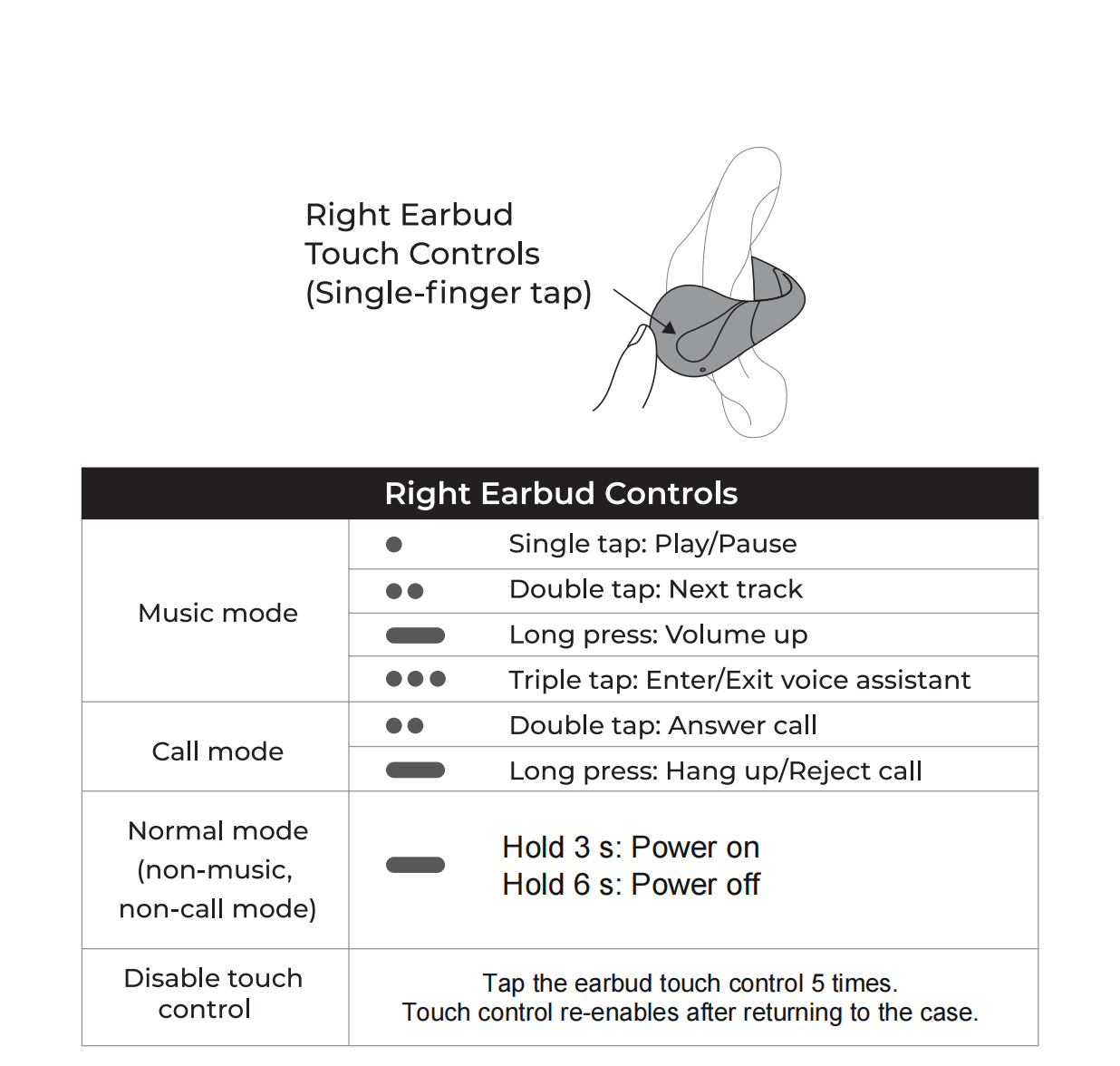
Tap the touch area on the outside of either earbud to control playback and calls. Both sides share the basic controls, while track changes, volume and triple-tap shortcuts differ.

Step by step

Use the left and right control guides below to find the gesture for what you’re doing. The 3-second power-on and 6-second power-off gestures apply when you’re not playing audio or on a call.

To temporarily prevent accidental taps, tap an earbud’s touch area five times. Its touch controls turn back on when you return it to the case.
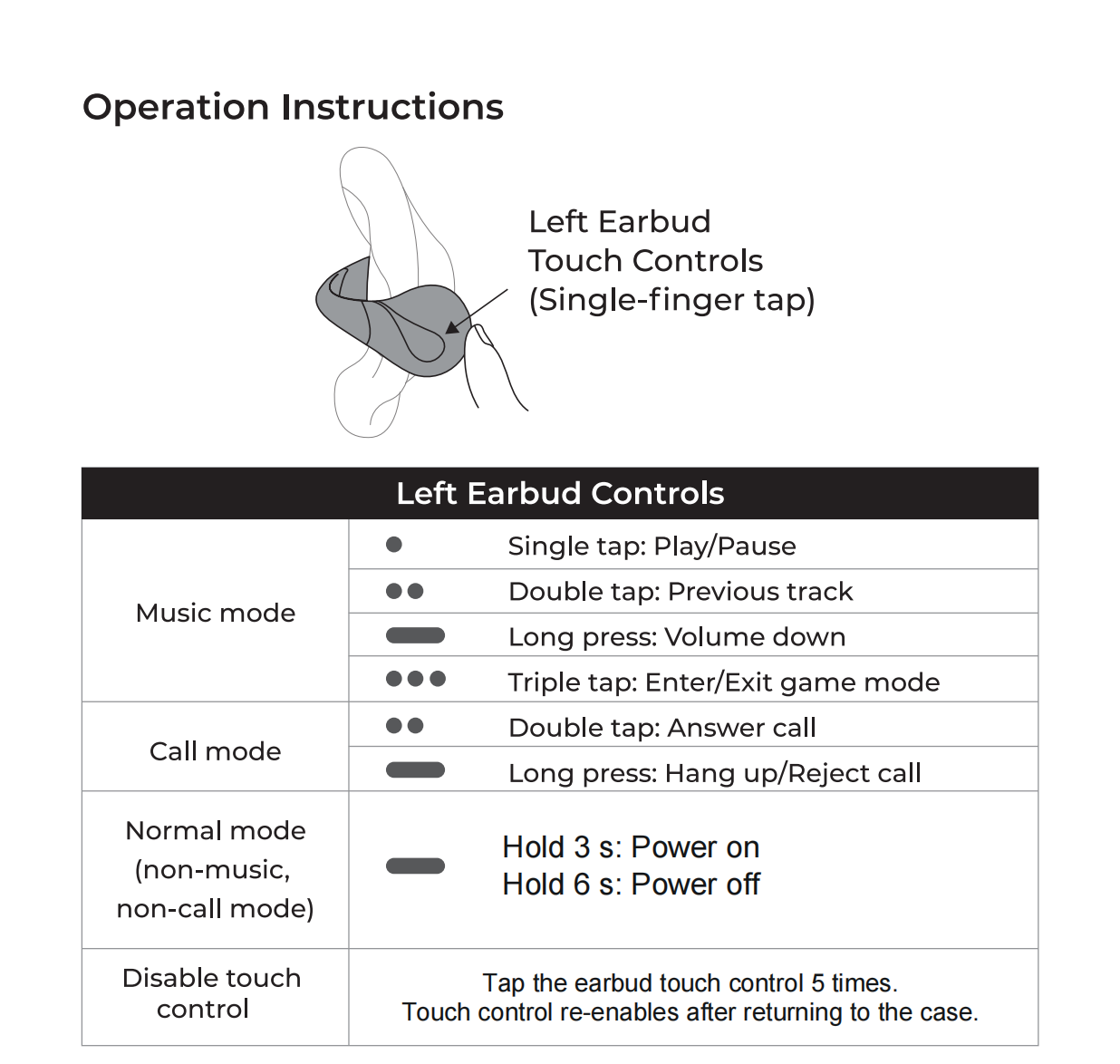
Left earbud touch controls
Left earbud controls · Tap to view full size
Right earbud touch controls
Right earbud controls · Tap to view full size